
One connection, 130+ operations
Connect PDF4me once with an API key and get 130+ operations across 16 categories in the Zap editor: convert, merge and split, OCR, compress, watermark, sign, barcode, forms and AI parsing.

PDF4me runs as an action step in your Zaps, so a new file, a form or a schedule can convert, merge, OCR, sign or generate PDFs. One API key, no code.
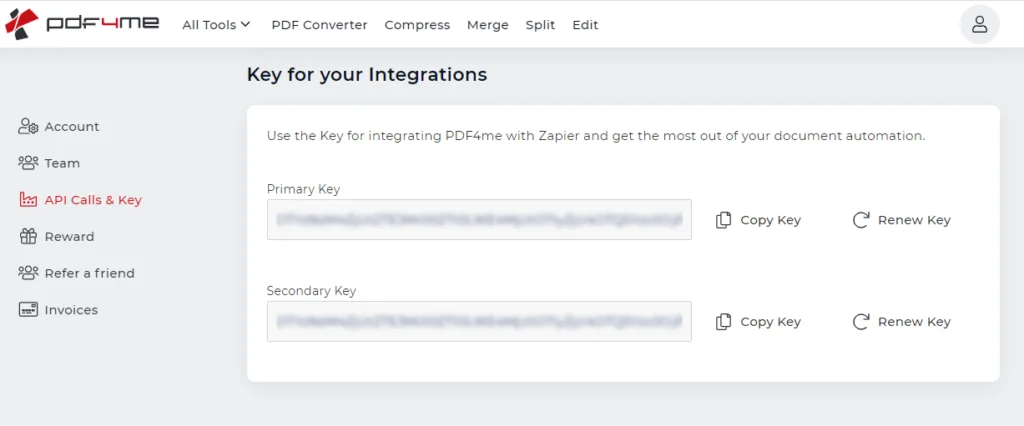
Your PDF4me connection in Zapier authenticates with an API key, so grab it first. Sign in to the PDF4me dashboard and open API Calls & Key to copy your key. No account yet? Create one, then copy the complete key without extra spaces.
Get your free API key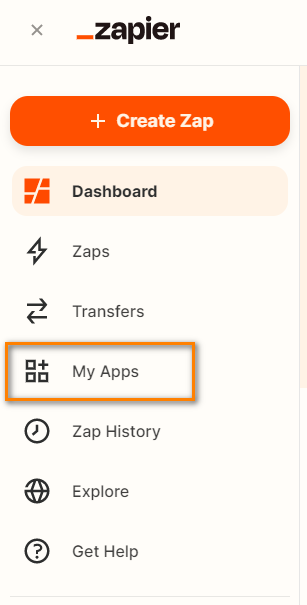
Log in to Zapier, or sign up if you do not have an account yet. From the dashboard, open the My Apps menu, where all of your connected app accounts are managed.
Create a free Zapier account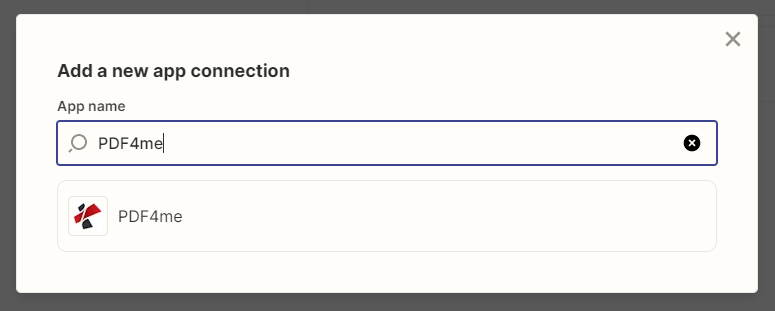
In My Apps, click Add connection to set up a new app connection. Type PDF4me into the search box and choose the PDF4me app from the results.
See PDF4me on Zapier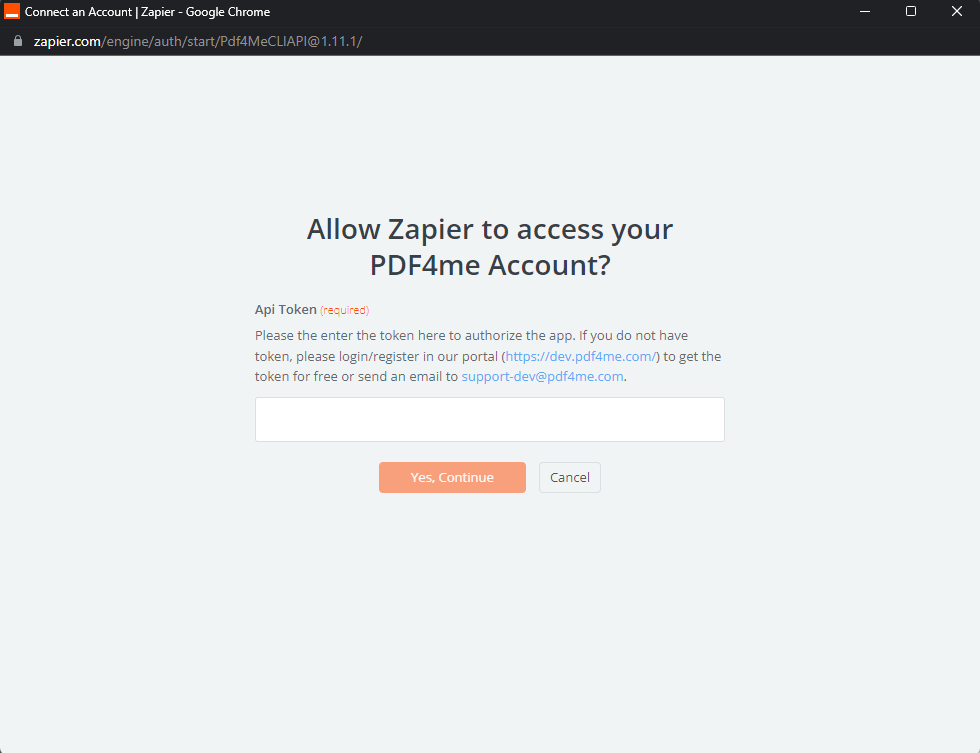
Choosing the PDF4me app opens a pop-up that asks for your API key. Paste the key you copied from the dashboard, then click Yes, continue to authorize the connection.
Browse all 130+ operationsOnce the connection is added, build document Zaps that combine PDF4me actions with thousands of other apps. For example, trigger on a new Gmail attachment, convert it to PDF with PDF4me, then save the result to Google Drive.
Read the full walkthroughThe full action catalogue, grouped by domain. Every action opens its own Zapier documentation.
Connect PDF4me once with an API key and get 130+ operations across 16 categories in the Zap editor: convert, merge and split, OCR, compress, watermark, sign, barcode, forms and AI parsing.
Turn Word, Excel, HTML, URLs, Markdown or Visio into PDF, convert PDF back into Office formats, and produce PDF/A or searchable PDFs, all inside a Zap.
Run OCR, extract text and find-and-replace, then parse invoices, receipts, bank statements, contracts and shipping labels into structured fields the next step can use.
Merge and split files, add watermarks and stamps, compress, and apply passwords or digital signatures so documents leave the Zap finished.
Generate and read Code128, QR, Swiss QR-bill, EPC QR and ZUGFeRD e-invoice codes, and fill or build PDF forms without leaving Zapier.
Beyond actions, a PDF4me trigger can start a Zap when a document is ready, so a finished PDF4me Workflow kicks off the rest of your automation.
Şablonu kopyalayın ve dosyalarınızı içine yerleştirin, sıfırdan derleme yapmanıza gerek yok.
Trigger on a new file in Google Drive or Dropbox, convert Word, Excel, HTML or a URL to PDF, and save the result back automatically.
Read totals and line items from incoming invoices with the AI parser, then push the structured fields to a sheet, a CRM or an accounting app.
Take form or database data and fill a PDF form template automatically, then email or store the finished document.
Split one scanned batch into separate PDFs by barcode, then route each file to the right folder or recipient.
API ile ürününüze entegre edin, kod yazmadan otomatikleştirin veya tarayıcınızdaki ücretsiz araçları kullanın. Başlamak için kredi kartına gerek yok.
curl -X POST https://api.pdf4me.com/v2/ConvertToPdfÜcretsiz erişim · Kredi kartı gerekmez