Документируйте рабочие процессы, которые выполняются автоматически.
Создайте последовательность действий с документом один раз, вставьте файлы, и PDF4me выполнит каждый шаг за вас. Никакого кода, одна панель управления.
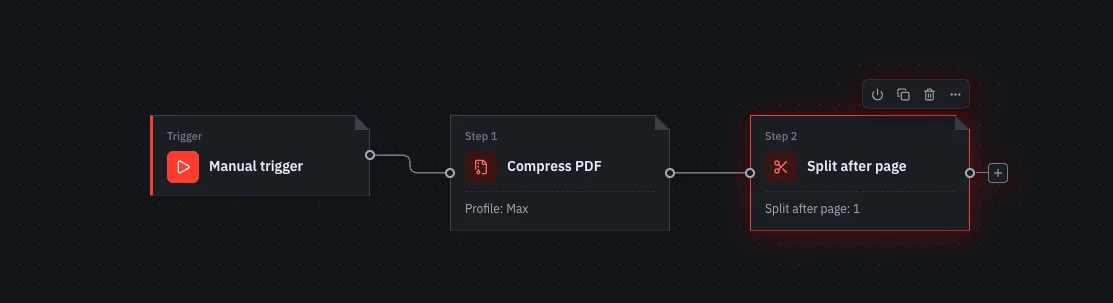
The designer. A trigger, then the steps your documents go through, in the order they go through them.
От действий к автоматизации за четыре шага.
Pick how it starts
Run it by hand and drop a file in, or hand the start to Google Drive or Zapier. A workflow has exactly one trigger, and the file it brings becomes the input of the first step.
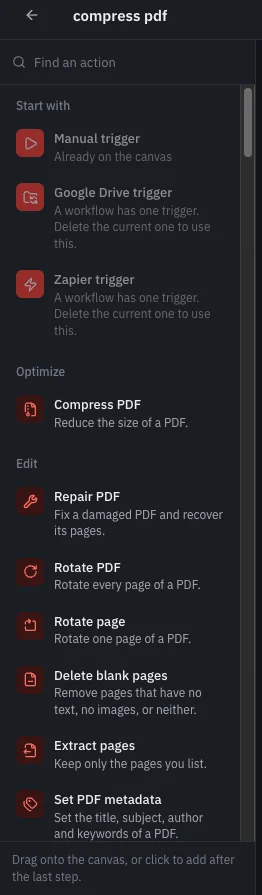
Drop in the actions
Seventy-eight of them, in seventeen groups. Each step either replaces the files it was handed or passes them through and leaves its findings for later steps. Every step says on its face which of the two it does.
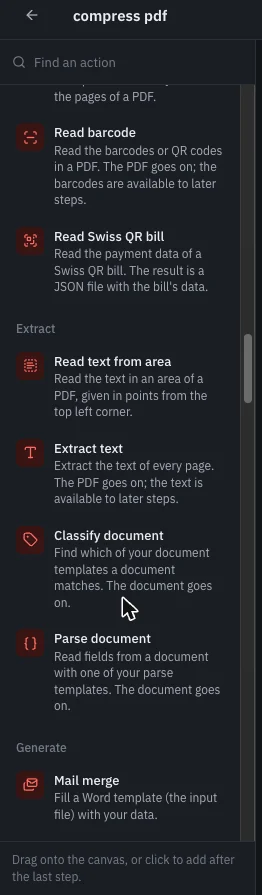
Branch it, loop it, filter it
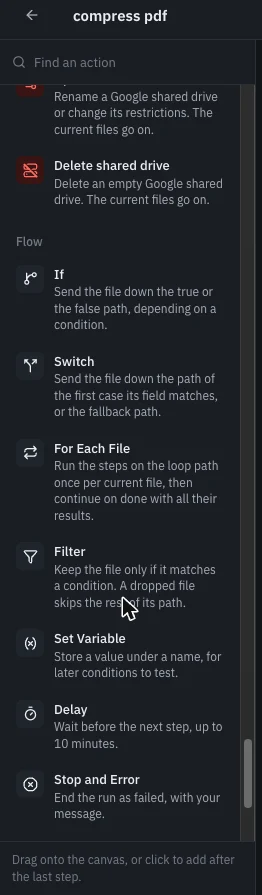
If and Switch send invoices one way and contracts another. For Each File repeats the same steps on every part of a split document. A file that fails a Filter quietly skips the rest of its path instead of failing the whole run.
Test it, publish it, watch it run
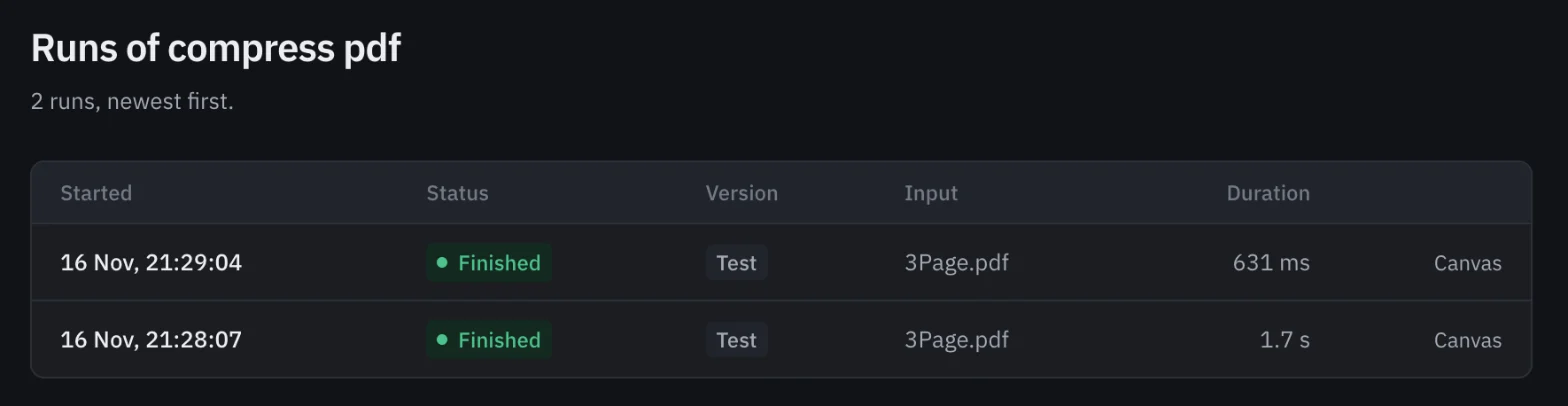
A test run executes the draft without publishing it, so the version your colleagues depend on keeps running untouched. Every real run is logged with its version, its input file and how long it took.
Watch one get built before you build yours.
Twelve workflows people actually run, written up step by step with the settings used at each one. Open any of them, copy the shape, change the file it works on.
Six processes, and the chains that run them.
Every step named below is a real action from the palette, in the order you would place it.
Scanned supplier invoices
Make the scan searchable, read what is on it, then let Switch send each supplier down its own path.
One scanned batch, many documents
A separator sheet between documents, one pass through the scanner, and every part treated as a document of its own.
Contracts out for signature
Stamped, locked down and sent for approval. The chain then waits for the person and carries on by itself.
One template, a record each
Payslips, certificates, renewal notices. A template and a data file go in, one protected document per record comes out.
Archiving that still opens in ten years
PDF/A is what retention policies ask for, and metadata is what makes the archive searchable later.
Delivery notes and payment slips
Read the barcode off the page and hand the data to Zapier, so nobody retypes it. Swiss QR bills have their own reader.
Всё необходимое для автоматической обработки документов.
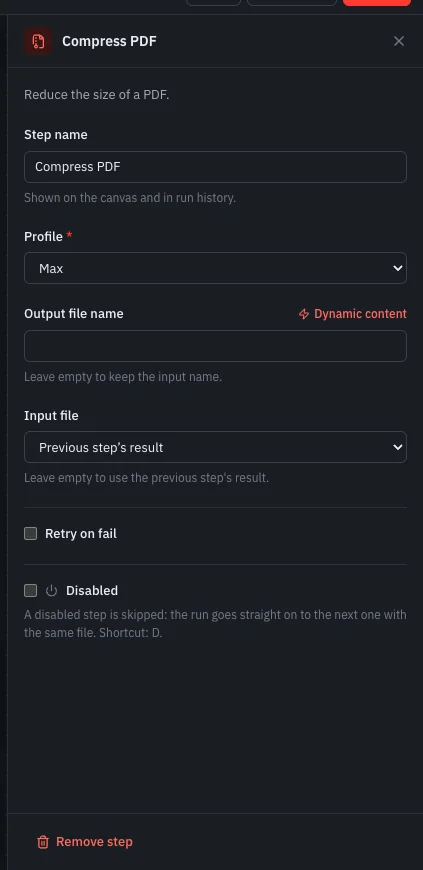
Every step carries its own settings: which file it works on, what the result is called, and whether a failure should be retried. Output names can be built from the file's own name, extension or size, so nothing overwrites anything.
Versions
Publish a numbered version and restore an older one if the new one was wrong.
Test runs
Run the draft on a real file without publishing anything to anyone.
Run history
Status, version, input file and duration, kept for every run.
Retry and skip
Per step, so one bad action can be disabled without deleting the chain.
Where your files come from, and where they end up.
Google Drive
Fourteen actions, not just save: copy, move, search, share, and create or manage shared drives.
Dropbox and OneDrive
Pull a file in at the start, push the finished files back out at the end.
FTP, SFTP and Azure Storage
Deliver straight to your own server or storage container.
MyDoc
Keep the results in your own PDF4me storage.
Zapier
Start a workflow from a Zap, or send the finished files back to one, a single event per file.
Email and links
Email the files as attachments, send them to yourself, or share a link to a single document.
Workflows is one of three doors.
Use Workflows
The process is about the documents, and you want it on a canvas, versioned, with a run history. Nothing to host.
Open WorkflowsUse the API
The document step belongs inside software you are already writing, in your language and your deployment.
See the APIUse an integration platform
Documents are one stop in a longer process that already lives in Make, Zapier, Power Automate or n8n.
See the integrations78 actions, in seventeen groups.
Optimize
1Compress PDF
Edit
9Repair PDF, Rotate PDF, Rotate page, Delete blank pages, Extract pages, Set PDF metadata, Prepare for print, Create tiles, Add text watermark
Merge
2Merge PDF, Merge folder
Convert
7Convert to PDF, Create PDF/A, PDF to Word, PDF to Excel, PDF to PowerPoint, PDF to EPUB, PDF to MOBI
Security
3Protect PDF, Unlock PDF, Set PDF permissions
Image
2Create thumbnail, PDF to images
OCR
1OCR PDF
Barcode
3Add barcode, Read barcode, Read Swiss QR bill
Extract
4Read text from area, Extract text, Classify document, Parse document
Generate
4Mail merge, Generate document, Split data file, Generate documents
Split
4Split after page, Split every N pages, Split by barcode, Split by text
Import
3Download from URLs, Download from Dropbox, Download from Google Drive
Share
5Share document, Request signature, Send email, Email to me, Send to Zapier
Save
6Save to MyDoc, Save to Azure Storage, Save to FTP, Save to OneDrive, Save to Google Drive, Save to Dropbox
Google Drive
14Copy file, Move file, Delete file, Create folder, Search files, Create file from text, Update file, Share file, Share folder, Create shared drive, Get shared drive, List shared drives, Update shared drive, Delete shared drive
Flow
9If, Switch, For Each File, Filter, Set Variable, Delay, Stop and Error, Set custom property, Append custom property
Canvas
1Note
Questions people ask before they build one.
What is document workflow automation?
It is turning a document process people repeat by hand, such as converting, splitting, reading, filing and emailing, into a sequence a machine runs the same way every time. In PDF4me Workflows that sequence is a chain of steps on a canvas, started by a trigger.
Do I need to write any code?
No. Steps are dragged onto a canvas and configured in a panel, and conditions are built from dropdowns. If you do want code in the loop, a workflow exports as JSON.
How does a workflow start?
From one of three triggers: manually with a file you choose, from Google Drive, or from Zapier. A workflow has exactly one, so changing how it starts means swapping the trigger.
Can it run on a schedule?
There is no schedule or cron trigger today. The two hands-off starts are Google Drive and Zapier, so a run happens when a document arrives or when another app says so, not at a fixed time.
Can a workflow branch, loop or skip a file?
Yes. If and Switch branch it, For Each File runs the same steps on every current file, and Filter drops a file that does not match. A dropped file skips the rest of its path rather than failing the run.
What happens when a step fails?
Each step has its own retry toggle and its own disable toggle, so you can skip one while you work out what is wrong. Stop and Error ends a run deliberately, and run history records the status, version and duration.
Can I change a workflow other people are using?
Yes. Edits autosave to the draft, and a test run executes that draft without publishing, so the published version keeps running untouched. Publish when it is right, and restore an older version if you need to.
How big a file can it handle?
The manual trigger accepts a file of up to 100 MB, and a run can take more than one. How long a run takes depends on the chain: OCR on a long scan is not a compression step.
Where do the finished documents go?
Google Drive, OneDrive, Dropbox, FTP or SFTP, Azure Storage, or PDF4me's own MyDoc. A workflow can also email them, share a link to one document, or hand them to Zapier. Several of those can end the same chain.
How is this different from the PDF4me tools?
A tool page does one thing to one file while you watch. A workflow chains those operations, decides between them, repeats them per file and delivers the result, without you being there after the first time you build it.
Оформите необходимые документы.
Встройте его в свой продукт с помощью API, автоматизируйте без написания кода или используйте бесплатные инструменты в браузере. Для начала не требуется кредитная карта.
curl -X POST https://api.pdf4me.com/v2/ConvertToPdfБесплатный тариф · Кредитная карта не требуется