
139 modules, one app
Convert, merge, split, OCR, e-sign, watermark, compress, barcode and generate documents from a single app. 139 modules across 17 categories cover most document work without stitching several services together.

Add PDF4me modules to any Make scenario to convert, merge, OCR, e-sign, stamp and generate documents. One connection, one API key, no code.
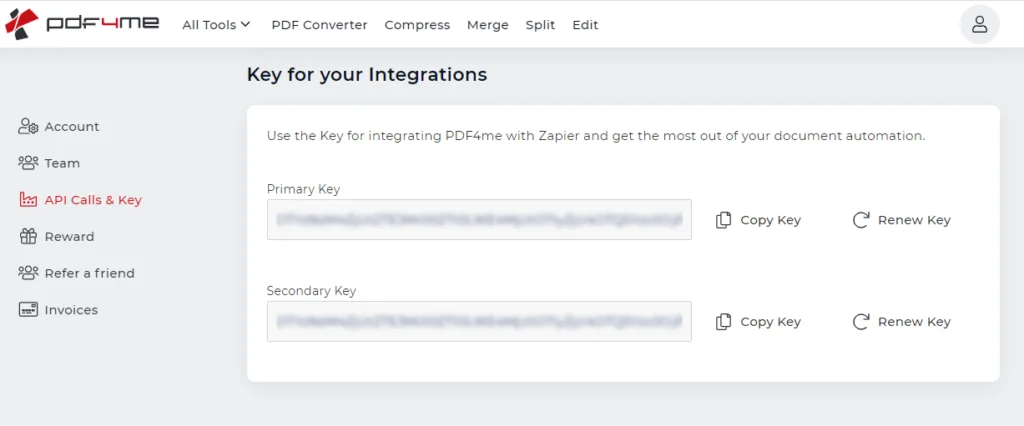
Make connects to PDF4me with an API key, so get yours ready first. Sign in to the PDF4me dashboard, open API Calls & Key, and copy the complete key without extra spaces. No account yet? Create one free to generate your first key.
Get your free API key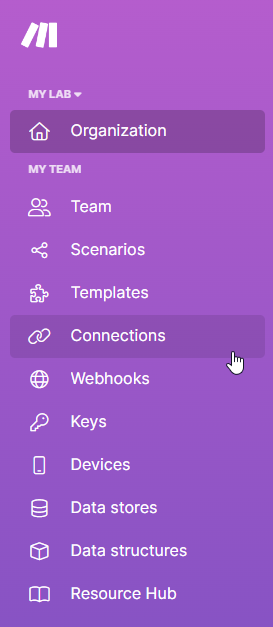
If you do not already use Make, sign up for a free account. Log in, open your dashboard, and click Create a new scenario. That gives you a blank canvas where you add PDF4me alongside the other apps you automate.
Create a free Make account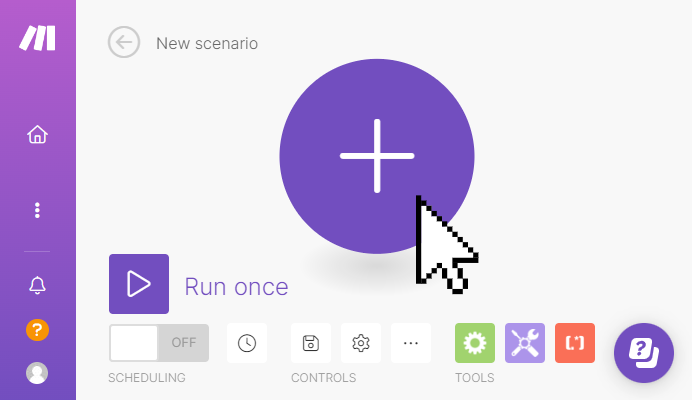
On the scenario canvas, click the plus icon to add a module, search for PDF4me, and select the app. Then pick the action you want to run, from convert and merge to barcodes, editing and extraction.
See PDF4me on Make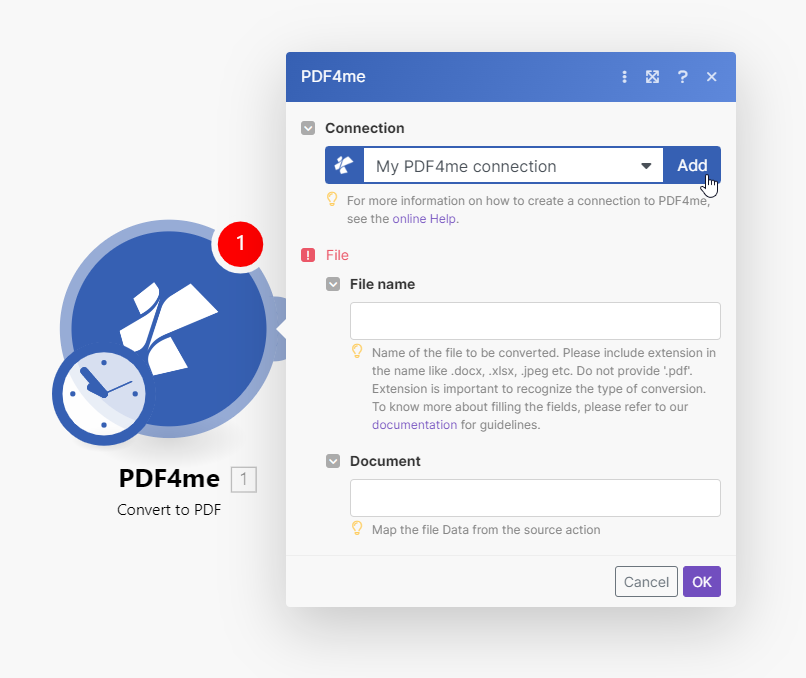
After you choose an action, Make asks you to set up a connection. In the pop-up, click Add to create a new PDF4me connection. The same connection is reused across every PDF4me module in your scenario.
Browse all 139 modules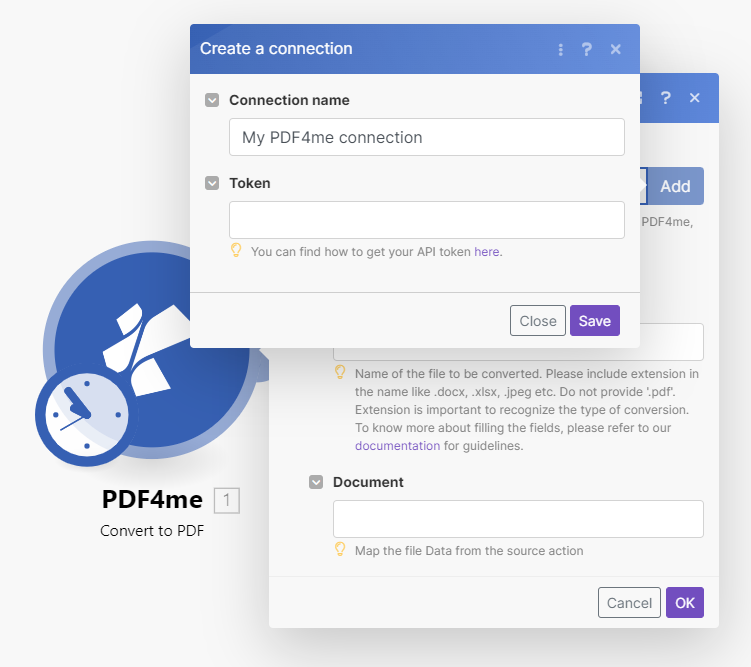
In the Create a connection window, paste your PDF4me key and save. Make stores it securely so you can reuse the same connection everywhere, and your PDF4me modules are ready to run.
Read the full walkthroughThe full module catalogue, grouped by domain. Every module opens its own Make documentation.
Convert, merge, split, OCR, e-sign, watermark, compress, barcode and generate documents from a single app. 139 modules across 17 categories cover most document work without stitching several services together.
Connect PDF4me once with your API key and reuse it in every scenario. No per-module setup and no OAuth juggling.
PDF4me is an action app, so it slots into scenarios started by SharePoint, Google Drive, Dropbox, webhooks, email or a schedule. It fits the automations you already run.
Build document steps by dropping modules and mapping fields. Your team ships PDF automation without writing or hosting anything.
Pull structured data from invoices, receipts, bank statements, contracts, payslips and tax forms, then feed the fields straight into the next module in your scenario.
Generate Code128 and QR codes, Swiss QR bills, EPC and SEPA payment QR, and ZUGFeRD e-invoices inside a scenario. Handle these formats without adding a separate tool.
Clone a template and swap in your files, no build from scratch.
Turn an HTML template or a live URL into a polished PDF inside a scenario, then save it wherever your flow ends.
Read line items and totals from incoming invoices with the AI parser, then map the fields straight into your next module.
Watch a folder for new files and merge them into one PDF automatically, with no manual combining.
Split one scanned batch into separate PDFs by barcode, then route each file to the right destination.
Build it into your product with the API, automate it with no code, or use the free tools in your browser. No credit card to begin.
curl -X POST https://api.pdf4me.com/v2/ConvertToPdfFree tier · No credit card required