124 operations, one node
Convert, merge, split, OCR, e-sign, watermark, compress, barcode, parse and generate documents from a single PDF4me node. 124 operations across 18 categories cover most document work without wiring several services together.

Drop the PDF4me node into any n8n workflow to convert, merge, OCR, sign and generate documents after any trigger. n8n Cloud or fully self-hosted, one API key.
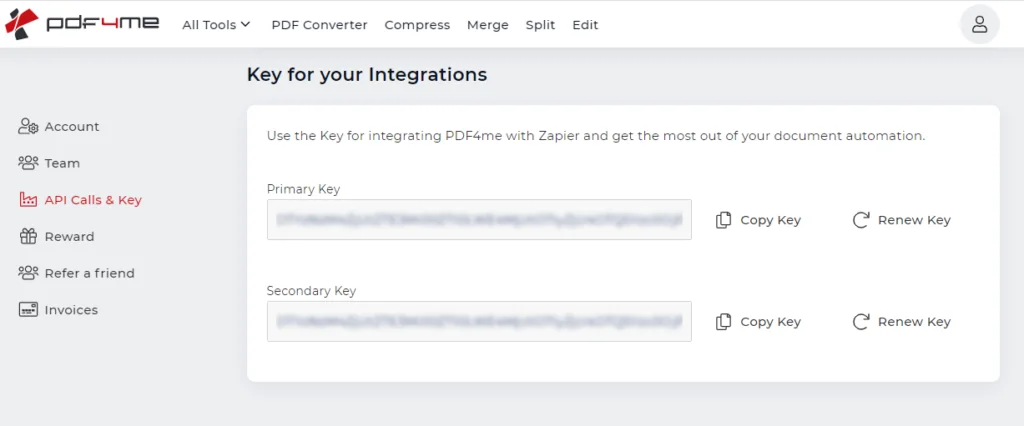
Create a free PDF4me account, open the dashboard and go to API Calls & Key. Copy your Primary Key – this is what authenticates every PDF4me step in n8n. No credit card is needed to start.
Get your free API key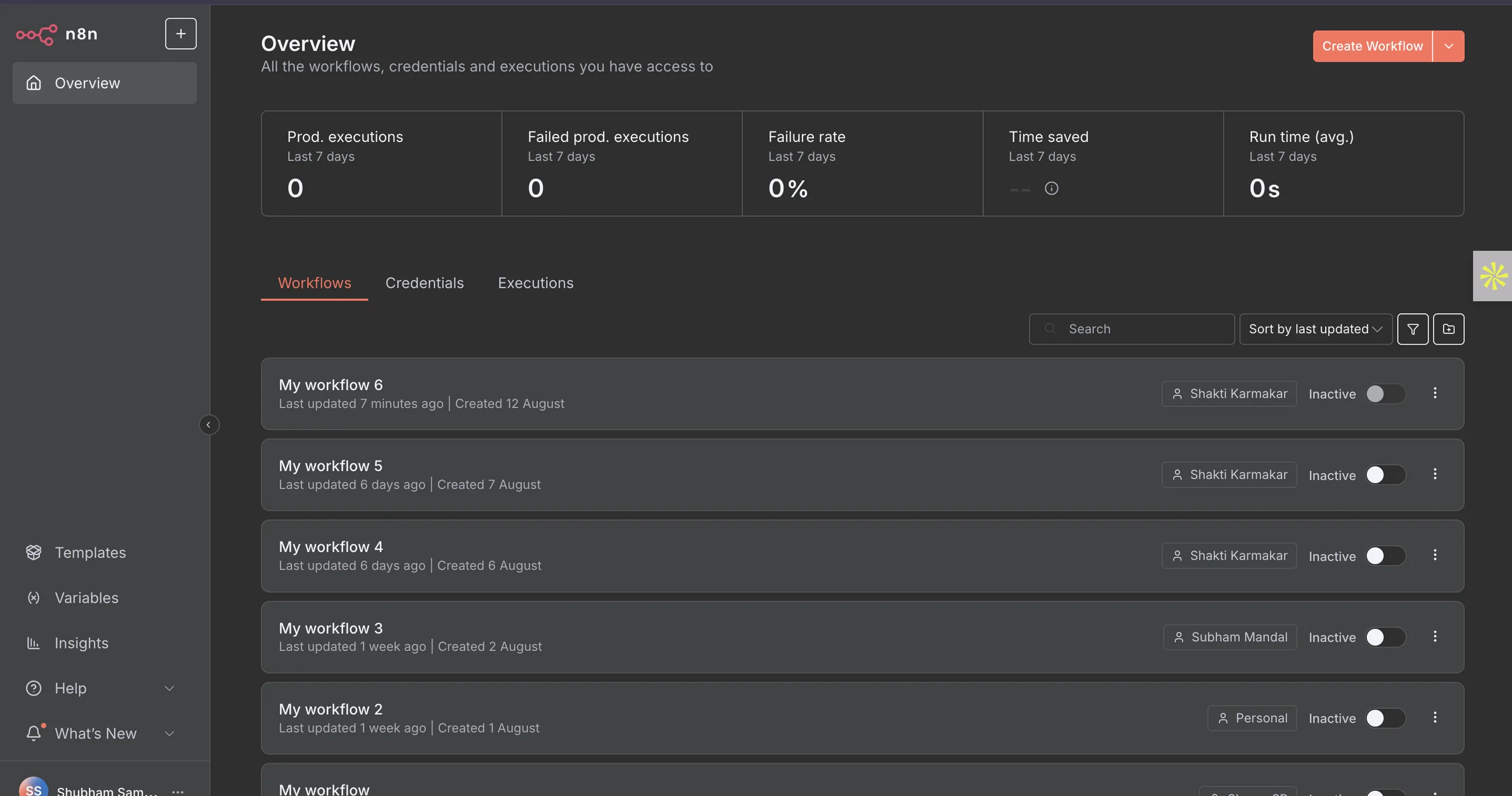
Sign in to n8n – the cloud version or your own self-hosted instance. From the Overview screen, click Create Workflow to start a new one, or open an existing workflow you want to add document steps to.
Create a free n8n account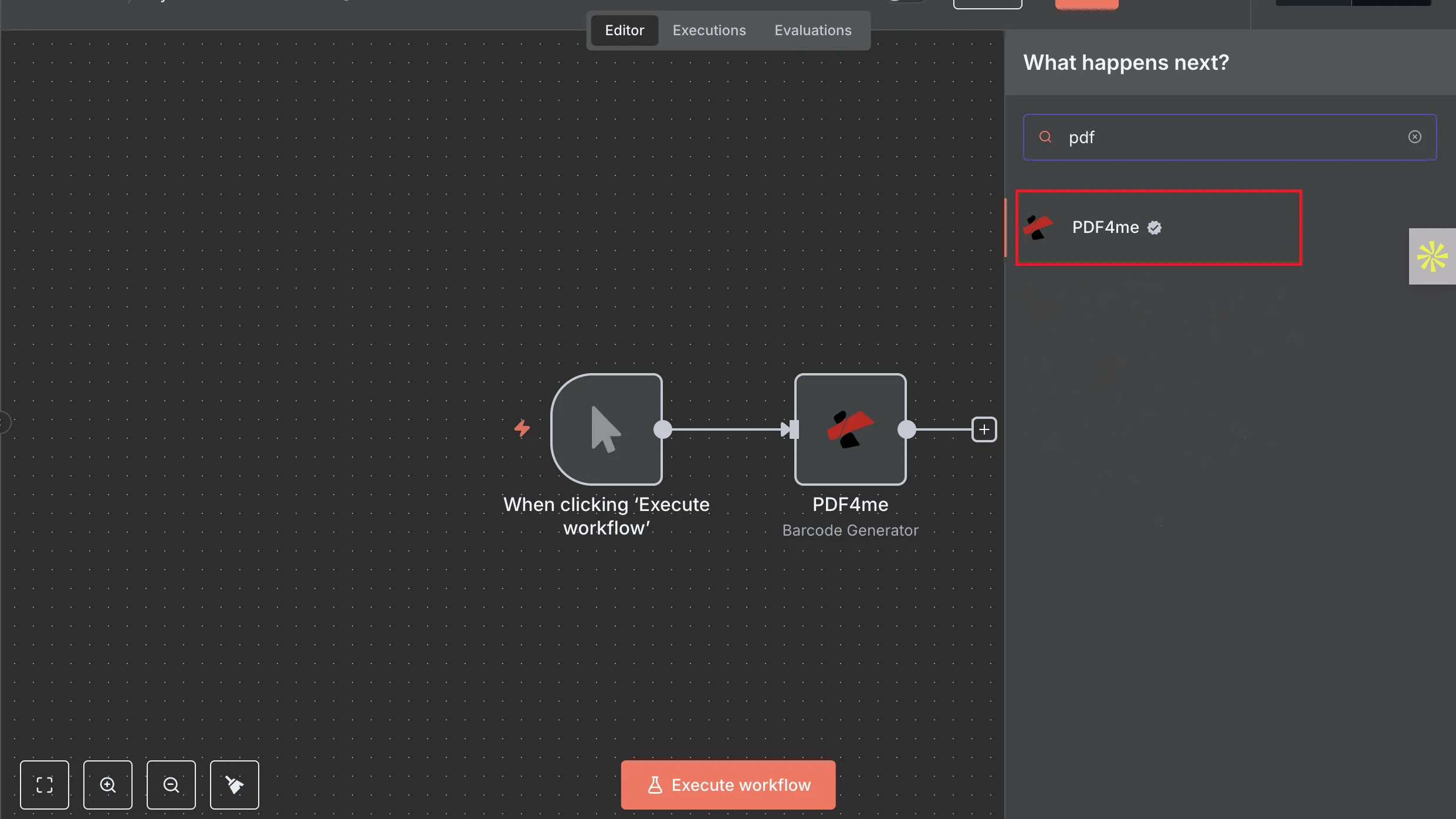
On the canvas, click the + to add a node and type “PDF4me” in the search. Select the PDF4me node, then choose the operation you need – for example Create Barcode, Convert to PDF or Merge PDFs.
See the PDF4me node on n8n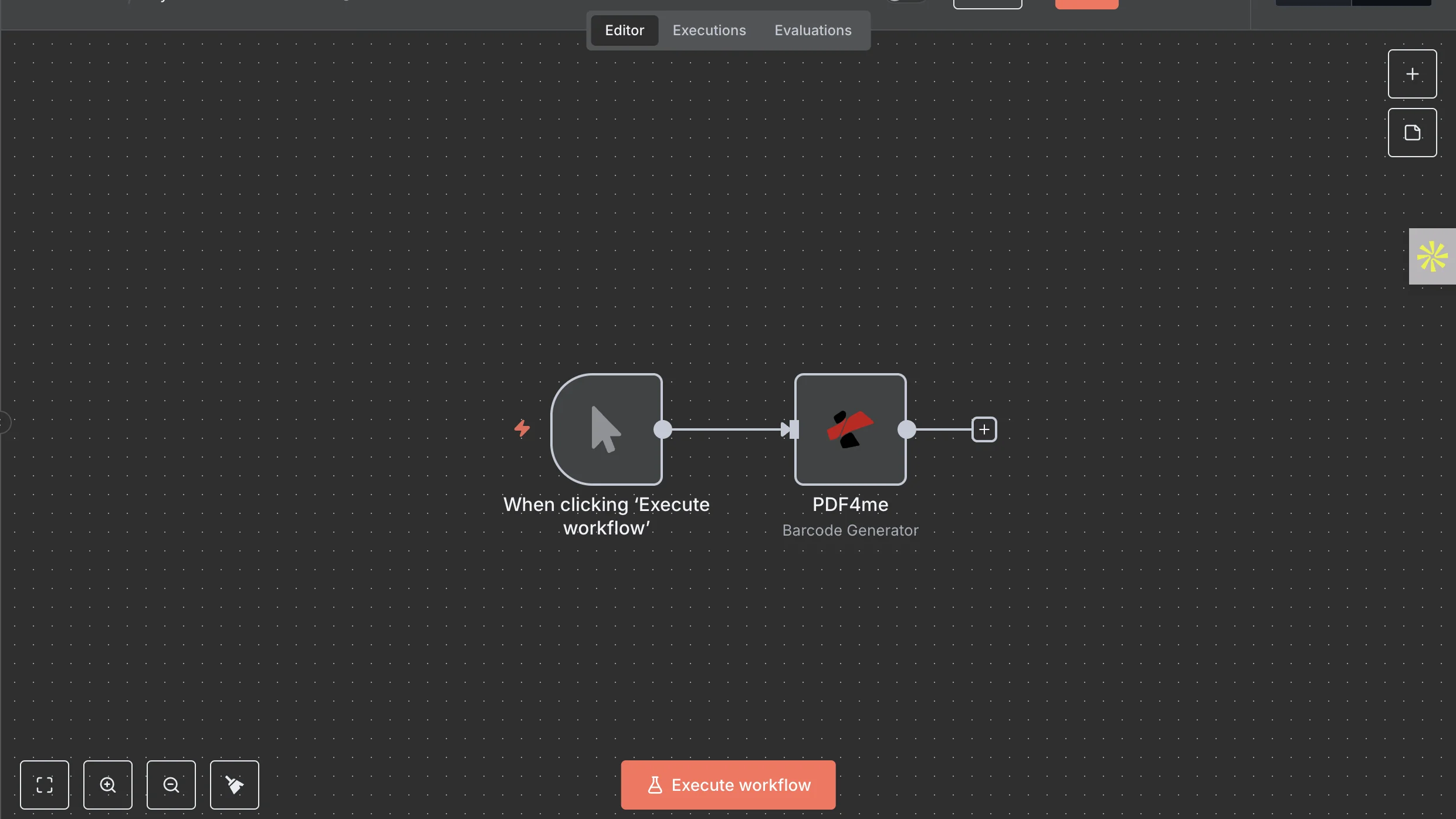
PDF4me runs as an action, so wire it after a trigger. Use the manual “When clicking Execute workflow” trigger to test, then switch to a real one later – a webhook, a schedule, or a new file in Google Drive, Dropbox or S3.
Browse all 124 operations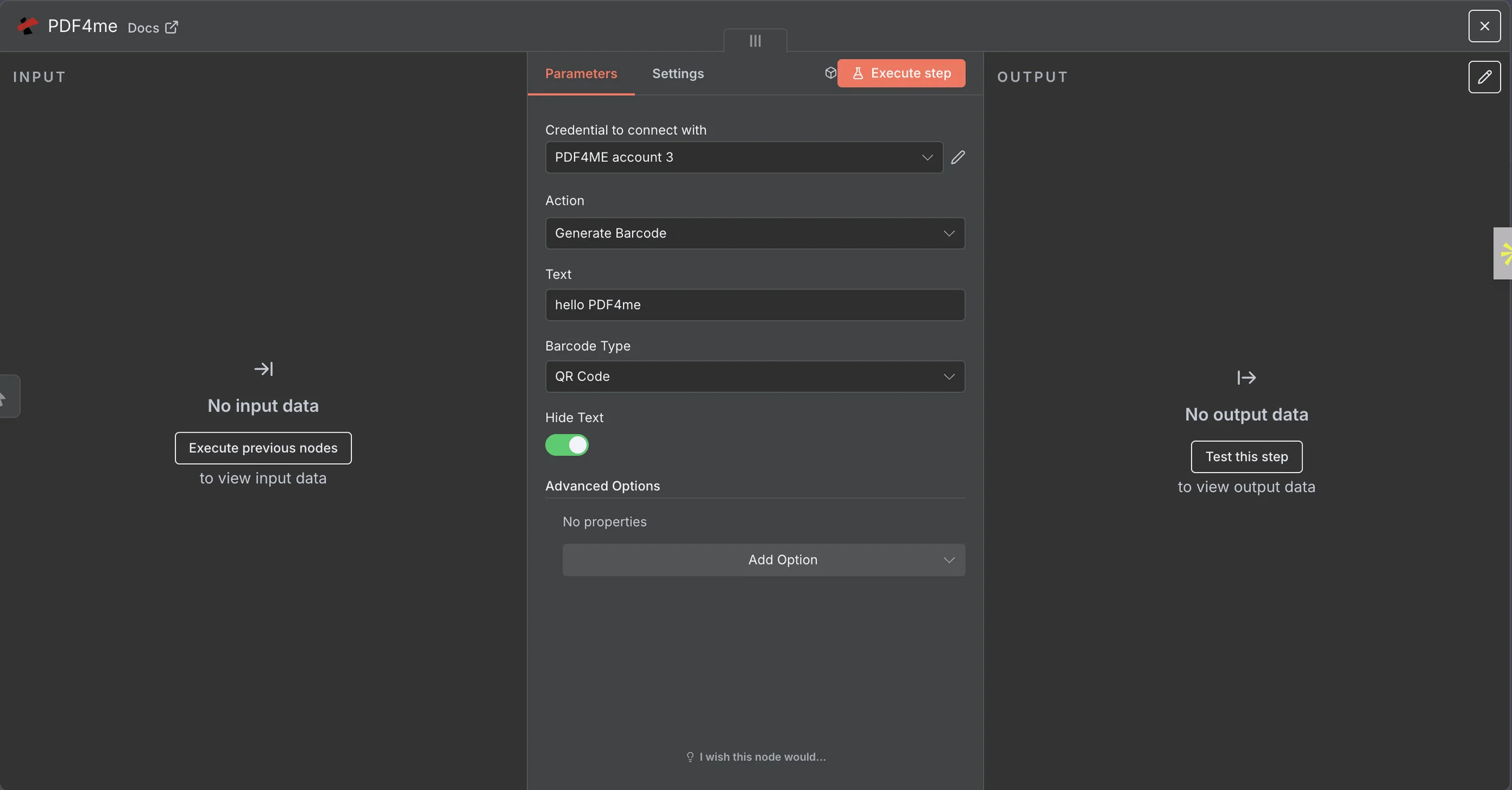
In the node’s “Credential to connect with” field, choose Create New and paste your PDF4me API key – n8n saves it for every PDF4me node. Pick the Action, fill its fields (for a barcode, the text and type), then click Execute step and check the output.
Read the barcode walkthroughThe full operation catalogue, grouped by domain. Every operation opens its own n8n documentation.
Convert, merge, split, OCR, e-sign, watermark, compress, barcode, parse and generate documents from a single PDF4me node. 124 operations across 18 categories cover most document work without wiring several services together.
Connect PDF4me once with an API key credential and reuse it across every workflow. No per-node setup and no OAuth flow to maintain.
The PDF4me node is a regular action node, so it slots into workflows started by a webhook, a schedule, a new file in Google Drive, Dropbox or S3, an email or a database row.
The node works the same on n8n Cloud and on a self-hosted instance, so you keep workflows and file data on your own infrastructure while PDF4me does the processing over the API.
Pull structured fields from invoices, receipts, bank statements, contracts, payslips and tax forms, then map them straight into the next node with n8n expressions.
Generate and read Code128, QR and Swiss QR bill codes and build ZUGFeRD e-invoices inside a workflow. Handle these formats without adding a separate node.
テンプレートを複製して自分のファイルと入れ替えるだけで、ゼロから構築する必要はありません。
Trigger on a new file in Drive, Dropbox or S3, convert Word, Excel, HTML or a URL to PDF, and store the result back automatically.
Read totals and line items from incoming invoices with the AI parser, then push the structured fields to a sheet, a database or an ERP.
Collect several documents, merge them into one PDF, then email it or save it to storage without any manual combining.
Split one scanned batch into separate PDFs by barcode, then route each file to the right folder or recipient.
APIを使って製品に組み込むことも、コードを書かずに自動化することも、ブラウザ上の無料ツールを使うこともできます。クレジットカード情報の入力は不要です。
curl -X POST https://api.pdf4me.com/v2/ConvertToPdf無料プラン · クレジットカード不要